XP Home: cannot access network shares

Many users report issues with sharing folders under XP Home, after getting a machine with this issue we could do some testing today.

First: the issue is about: trying to access a XP Home machine, where you can ‘logon’ to the Machine, but accessing the actually shared folders will be denied.

Irritating if you want to access your downloaded prOn movies from your PC and play it on your TV through your MediaPlayer.

Under XP/Vista you can read: Not enough server storage is available to process this command ..

Under Linux with a CIFS mount you can read: CIFS VFS: cifs_mount failed w/return code -12

The errors refer to a memory issue. It was very hard to find the solution as the Help of Microsoft is a crime…  finally we found the reason: certain virus scanners like: NOD32, Norton Antivirus, IMB AntiVirus is causing you not to access network shares.

With a simple registryfix you can solve it.
RFH (Request For HELP): UNPAK2 script for NZBget

I’ve managed to modify the updated unpak script from ydroll for the CH3SNAS with NZBGET. This one is much bigger and much worse to have it correctly implemented in the CH3SNAS (especially as there is a ‘catalog’ file included, which is different scripted and has less ‘hard-coded’ pathnames in it.

I’m not a script-kiddie, so Request for Help: the script in my folder is for experts only: you need to know what you are doing. I think the script is working for 95% and 5% gives probably issue on the catalog part. So if someone is able to modify the script / idea of ydroll so that many users of the Ch3SNAS can use it: help is appreciated on the UNPAK1 (the standard version I also use) and UNPAK2 script.

Looking forward to modified scrips .. ;-)

CFULLHDMA: Fixing failed firmare upgrade

Sometimes it is possible that people brick their device and that it is not operational anymore.
The CFULLHDMA has a number of abilities to fix firmware version(s).

First:
with every boot the device is checking if the firmware file is valid. When it’s not valid you will see a blue screen with information to run the firmware upgrade again.

Second:
With latest firmware releases we have added a ‘fixed’ IP address when there is no network: 169.254.1.1 if you can ping this address after changing the IP of your Computer in the same range the kernel is still running and you still can fix your CFULLHDMA.

If you can ping it on it’s normal IP address (you might need an Angry IP Scanner tool) to determine it in your network, you can also use telnet

—- Only for kernel 2.6 Firmware Versions —


mount -t vfat /dev/sda1 /usb/usb0
./ForceUpgrade_k26 upgrade.bin
sync

The upgrade.bin is the latest firmware version you can download from the Conceptronic website
the ForceUpgrade tool can be taken from here
I do not suggest anyone to use this unless you know what you are doing.

In any other situation it is NOT possible to fix the firmware file without using a Serial Console Port

console

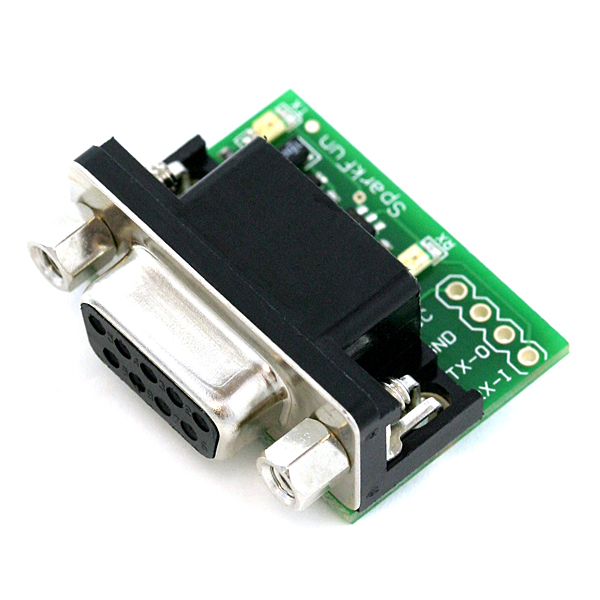
Above image shows a serial console port you can put on the CFULLHDMA when you open it. (Tx,Rx,GND,V). With a console port you can get more information about the status of the device. When you use a Console Cable and you see a YAMON message things are not ok .. the kernel and firmware are not present anymore. You only see the bootloader, and only through a very extensive difficult upgrade procedure the firmware can be fixed.